模型天空 · Model Sky · ▶ 在线运行案例
案例合集: 三维可视化功能案例(threehub.cn)
开源仓库github地址: https://github.com/z2586300277/three-cesium-examples
**400个案例代码: ** 网盘链接
你将学到什么
- 用 glTF 天空穹顶模型 代替 CubeTexture 六面贴图
- 天空模型与 天空盒 方案的对比
renderer.setAnimationLoop与requestAnimationFrame的配合
效果说明
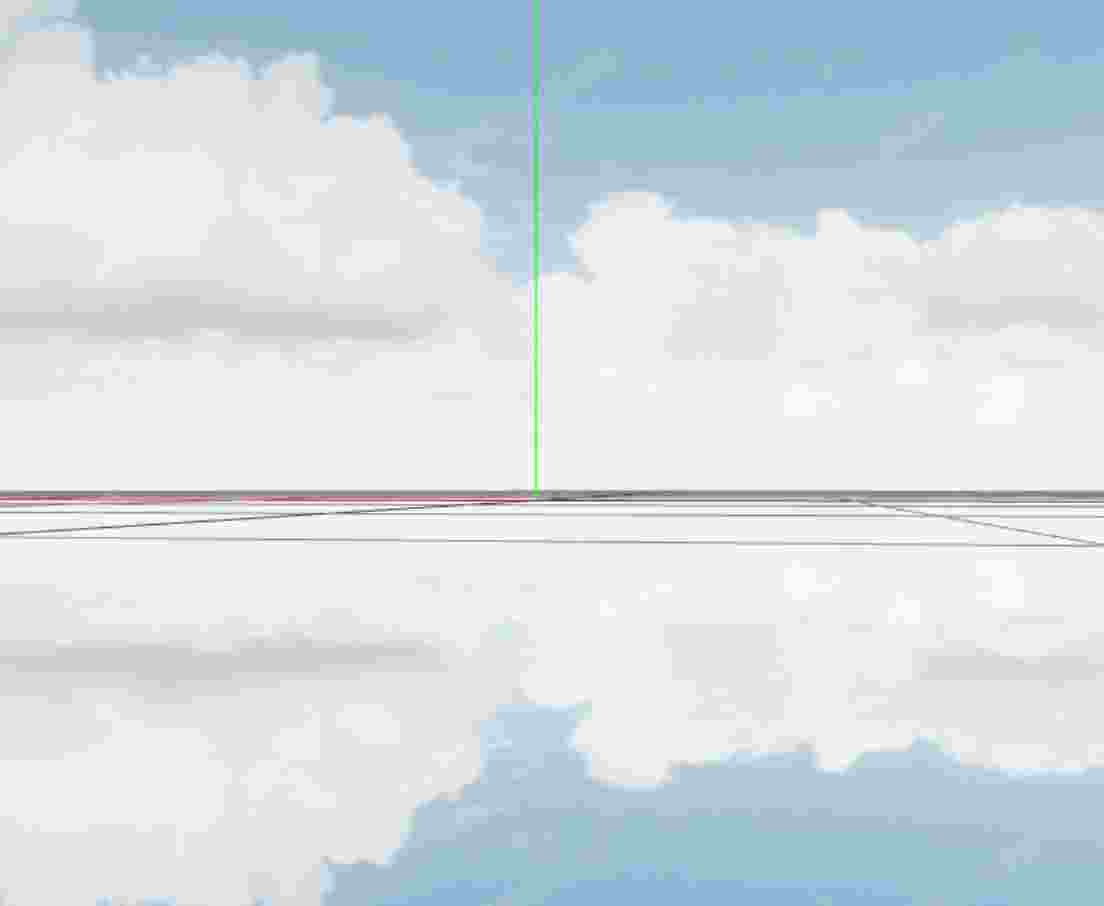
加载 gltfSky/scene.gltf —— 一个 半球/穹顶状 的天空模型,整体 缓慢绕 Y 轴旋转,产生云卷云舒的动态天景。地面有 GridHelper 辅助定位,相机 OrbitControls 环绕观察。
核心概念
两种天空实现方式
| 方式 | 本案例 | 天空盒 skyAndEnv |
|---|---|---|
| 实现 | glTF 穹顶 mesh | CubeTexture 六面 PNG |
| 背景 | 真实几何体在场景中 | scene.background 无穷远 |
| 动画 | 可旋转整个天空模型 | 背景随相机转,本身不转 |
| 优点 | 可带复杂几何/动画 | 实现简单、性能稳定 |
| 缺点 | 占 draw call,需够大 | 仅静态贴图 |
模型天空适合:动态云层、 stylized 天空、需要与场景光照统一 的项目。
glTF 天空模型注意事项
- 尺度:天空模型要足够大(或相机在模型内部),否则能看到穹顶边缘
- 位置:通常与场景中心对齐,相机在穹顶内部
- 深度:常配合
material.depthWrite = false或渲染顺序,避免遮挡问题(本 glTF 资源已处理) - 旋转:本案例
gltf.scene.rotation.y += 0.005制造天空流动感
setAnimationLoop 与 rAF
// 主循环:OrbitControls + 渲染
function animate() {
  requestAnimationFrame(animate);
  controls.update();
  renderer.render(scene, camera);
}
animate();

// 加载完成后:额外注册 setAnimationLoop 只负责转天空
renderer.setAnimationLoop(() => {
  gltf.scene.rotation.y += 0.005;
});
本案例 同时存在 两个循环:
animate()的 rAF → 负责 controls + rendersetAnimationLoop→ 每帧 只改天空 rotation
::: tip 更清晰的写法 合并为一个循环更规范:
function animate() {
  if (sky) sky.rotation.y += 0.005;
  controls.update();
  renderer.render(scene, camera);
}
:::
实现步骤
- Scene / Camera / Renderer / OrbitControls + rAF
- GridHelper + AxesHelper
GLTFLoader加载gltfSky/scene.gltf→scene.add(gltf.scene)setAnimationLoop或合并进 animate 旋转天空
代码要点
import * as THREE from 'three'
import { OrbitControls } from 'three/examples/jsm/controls/OrbitControls.js'
import { GLTFLoader } from "three/addons/loaders/GLTFLoader.js"

const box = document.getElementById('box')

const scene = new THREE.Scene()

const camera = new THREE.PerspectiveCamera(50, box.clientWidth / box.clientHeight, 0.1, 100)

camera.position.set(0, 5, 20)

const renderer = new THREE.WebGLRenderer({ antialias: true, alpha: true, logarithmicDepthBuffer: true })

renderer.setClearColor(0xffffff, 1)

renderer.setSize(box.clientWidth, box.clientHeight)

box.appendChild(renderer.domElement)

const controls = new OrbitControls(camera, renderer.domElement)

controls.enableDamping = true

animate()

function animate() {

    requestAnimationFrame(animate)

    controls.update()

    renderer.render(scene, camera)

}

window.onresize = () => {

    renderer.setSize(box.clientWidth, box.clientHeight)

    camera.aspect = box.clientWidth / box.clientHeight

    camera.updateProjectionMatrix()

}

const gird = new THREE.GridHelper(100, 20)

scene.add(gird)

const axes = new THREE.AxesHelper(1000)

scene.add(axes)

new GLTFLoader().load(FILE_HOST + "models/glb/gltfSky/scene.gltf", (gltf) => {

    scene.add(gltf.scene)

    renderer.setAnimationLoop(() => gltf.scene.rotation.y += 0.005)

})
完整源码:GitHub
小结
- 本文提供 模型天空 完整 Three.js 源码与在线 Demo,建议先运行案例再改 uniform/参数做二次实验
- 更多 Three.js 实战案例见 three-cesium-examples 合集 与 GitHub 开源仓库