单/多模型动画 · Multi Clip Animation · ▶ 在线运行案例
案例合集: 三维可视化功能案例(threehub.cn)
开源仓库github地址: https://github.com/z2586300277/three-cesium-examples
**400个案例代码: ** 网盘链接
你将学到什么
- 同一模型 多个 clip 切换 与 多 clip 同时播放
actionIndexs布尔数组控制播放哪些动画- 多个模型各自 mixerAnimateRender 挂到统一 rAF
效果说明
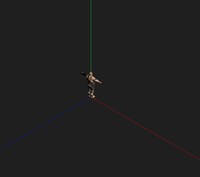
Soldier 模型,dat.GUI 按钮:单动画 0/1/2… 切换单个动作;1,2 动画同时播放 让两个 clip 并行 4 秒后 stop。
核心概念
与 modelAnimation 的 crossFade 不同,本案例用 多 Action 同时 play + 权重默认混合:
const actions = group.actionIndexs.map((enabled, k) => {
    if (!enabled) return;
    const action = mixer.clipAction(group.animations[k]);
    action.loop = THREE.LoopRepeat;
    action.play();
    return action;
}).filter(Boolean);
mixerFrames 数组收集各模型的 mixerAnimateRender,在 animate 里统一 forEach 更新。
代码要点
import * as THREE from 'three'
import { OrbitControls } from 'three/examples/jsm/controls/OrbitControls.js'
import { GLTFLoader } from 'three/examples/jsm/loaders/GLTFLoader.js'
import { DRACOLoader } from 'three/examples/jsm/loaders/DRACOLoader.js'
import * as dat from 'dat.gui'

const box = document.getElementById('box')

const scene = new THREE.Scene()

const camera = new THREE.PerspectiveCamera(75, box.clientWidth / box.clientHeight, 0.1, 1000)

camera.position.set(5, 5, 5)

const renderer = new THREE.WebGLRenderer({ antialias: true, alpha: true, logarithmicDepthBuffer: true })

renderer.setSize(box.clientWidth, box.clientHeight)

box.appendChild(renderer.domElement)

new OrbitControls(camera, renderer.domElement)

window.onresize = () => {

    renderer.setSize(box.clientWidth, box.clientHeight)

    camera.aspect = box.clientWidth / box.clientHeight

    camera.updateProjectionMatrix()

}

const mixerFrames = []

animate()

function animate() {

    requestAnimationFrame(animate)

    mixerFrames.forEach(i => i?.mixerAnimateRender?.())

    renderer.render(scene, camera)

}

scene.add(new THREE.AmbientLight(0xffffff, 4))

scene.add(new THREE.AxesHelper(1000))

// 加载模型 gltf/ glb  draco解码器
const loader = new GLTFLoader()

loader.setDRACOLoader(new DRACOLoader().setDecoderPath(FILE_HOST + 'js/three/draco/'))

loader.load(

    FILE_HOST + 'files/model/Soldier.glb',

    gltf => {

        const group = gltf.scene

        group.animations = gltf.animations

        scene.add(group)

        group.actionIndexs = new Array(group.animations.length).fill(false)

        createModeAnimates(group)

    }

)

const GUI = new dat.GUI()

// 模型加载完成
const createModeAnimates = model => {

    model.animations.forEach((_, k) => {

        GUI.add({

            fn: () => {

                model.actionIndexs.forEach((_, _k, arr) => arr[_k] = _k === k)

                modelAnimationPlay(model, model.animations)

            }

        }, 'fn').name(`单动画${k}`)

    });

    // 多动画
    GUI.add({

        fn: () => {

            const _actions = [1, 2] // 同时播放 第三个和第四个动画

            model.actionIndexs.forEach((_, k, arr) => arr[k] = _actions.includes(k))

            const { actions } = modelAnimationPlay(model, model.animations)

            setTimeout(() => actions.forEach((v => v.stop())), 4000)

        }

    }, 'fn').name('1, 2动画同时播放')

}

function modelAnimationPlay(group) {

    const clock = new THREE.Clock()

    const mixer = new THREE.AnimationMixer(group)

    group.mixerAnimateRender = () => {

        const deltaTime = clock.getDelta()

        mixer.update(deltaTime)

    }

    const actions = group.actionIndexs.map((i, k) => {

        if(i) {

            const animationAction = mixer.clipAction(group.animations[k])

            animationAction.loop = THREE.LoopRepeat

            animationAction.time = 0

            animationAction.timeScale = 1 // 播放速度

            animationAction.clampWhenFinished = true //停留到最后一帧

            animationAction.play()

            return animationAction

        }

    }).filter(i => i)

    !mixerFrames.find(i => i === group) && mixerFrames.push(group)

    return { actions, mixer }

}
完整源码:GitHub
小结
- 本文提供 单/多模型动画 完整 Three.js 源码与在线 Demo,建议先运行案例再改 uniform/参数做二次实验
- 更多 Three.js 实战案例见 three-cesium-examples 合集 与 GitHub 开源仓库