地球贴图 · Globe Map · ▶ 在线运行案例
案例合集: 三维可视化功能案例(threehub.cn)
开源仓库github地址: https://github.com/z2586300277/three-cesium-examples
**400个案例代码: ** 网盘链接
你将学到什么
- Scene / Camera / Renderer 标准渲染管线搭建
- 案例完整源码结构与可复用初始化模板
效果说明
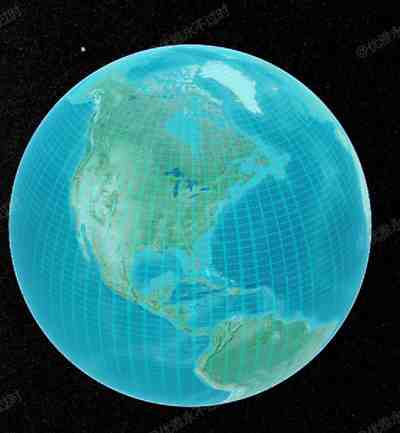
本案例演示 地球贴图 效果:基于 WebGL 实现「地球贴图」可视化效果,附完整可运行源码。建议先打开文首在线案例查看动态画面,再对照下方源码逐步理解。
核心概念
- Viewer 聚合 Scene、Camera、Clock 与渲染循环,是 Cesium 应用入口。
- 阅读下方完整源码时,建议从
init/load/animate三条主线入手,再深入 shader 与工具函数。
实现步骤
- 创建 Viewer,配置地形/影像(若案例需要)并设置初始相机
- 在
requestAnimationFrame循环中更新状态并 render(Cesium 为viewer.render或自动渲染)
代码要点
import * as Cesium from 'cesium'

const box = document.getElementById('box')

const viewer = new Cesium.Viewer(box, {

    animation: false,//是否创建动画小器件,左下角仪表

    baseLayerPicker: false,//是否显示图层选择器,右上角图层选择按钮

    baseLayer: Cesium.ImageryLayer.fromProviderAsync(Cesium.ArcGisMapServerImageryProvider.fromUrl('https://server.arcgisonline.com/arcgis/rest/services/World_Imagery/MapServer')),

    fullscreenButton: false,//是否显示全屏按钮,右下角全屏选择按钮

    timeline: false,//是否显示时间轴

    infoBox: false,//是否显示信息框

})

const primitive = viewer.scene.primitives.add(new Cesium.Primitive({
    geometryInstances: new Cesium.GeometryInstance({
        geometry: new Cesium.EllipsoidGeometry({
            vertexFormat: Cesium.VertexFormat.POSITION_AND_ST,
            radii: viewer.scene.globe.ellipsoid.radii,
        }),
    }),
    appearance: new Cesium.EllipsoidSurfaceAppearance({
        material: new Cesium.Material({
            fabric: {
                type: "Image",
                uniforms: {
                    image: FILE_HOST + 'images/map/earth_clouds.png',
                    alpha: 0.5,
                    // repeat: new Cesium.Cartesian2(4.0, 4.0),
                    // color: Cesium.Color.YELLOW,
                },
                components: {
                    alpha: "texture(image, fract(materialInput.st * repeat)).r * alpha",
                    diffuse: "color.rgb", // 使用 color 作为漫反射颜色
                },
            },
        }),
        translucent: true, // 是否半透明
        aboveGround: true, // 是否在地表以上
    })
}))

let heading = 0
viewer.scene.postRender.addEventListener(() => {
    heading += 0.1
    primitive.modelMatrix = Cesium.Transforms.headingPitchRollToFixedFrame(
        new Cesium.Cartesian3(),
        new Cesium.HeadingPitchRoll(Cesium.Math.toRadians(heading), 0, 0)
    )
})
完整源码:GitHub
小结
- 本文提供 地球贴图 完整 Cesium.js 源码与在线 Demo,建议先运行案例再改 uniform/参数做二次实验
- 更多 Cesium.js 实战案例见 three-cesium-examples 合集 与 GitHub 开源仓库